 KDP Cover Studio
Print‑ready book covers
without the guesswork.
KDP Cover Studio calculates spine, bleed and safe‑area from official Amazon KDP and IngramSpark specs — then exports a vector PDF that's verified before it ever reaches your uploader.
The opportunity — and the problem
Millions of books launch every year. Most are judged in a heartbeat.
Amazon KDP and IngramSpark are how the world self‑publishes — and on both, your cover is the first thing a reader ever sees.
Every one of those books is a thumbnail the size of a postage stamp. The cover is the first — and often the only — thing a shopper sees before they scroll past. A great one earns the click. A weak one is invisible.
What goes wrong for authors today
Three things stand between your book and a cover that sells.
“Cover does not meet requirements.”
Get the spine width, bleed or safe area wrong and your upload is rejected — sending you back to re‑measure and re‑export, losing days before launch.
The tools cost more than the book earns.
A Photoshop or InDesign subscription — or a $300–500 freelance cover, per title — quietly eats the thin margins of self‑publishing.
It vanishes at thumbnail size.
The cover looks fine full‑screen, but turns muddy and unreadable as a tiny Amazon thumbnail — so it never earns the click that drives sales.
Built for self‑publishers
Everything a compliant cover needs, in one place.
No subscription design suite, no spreadsheet of spine math — just the exact numbers, enforced as you design.
Exact sizing, automatically
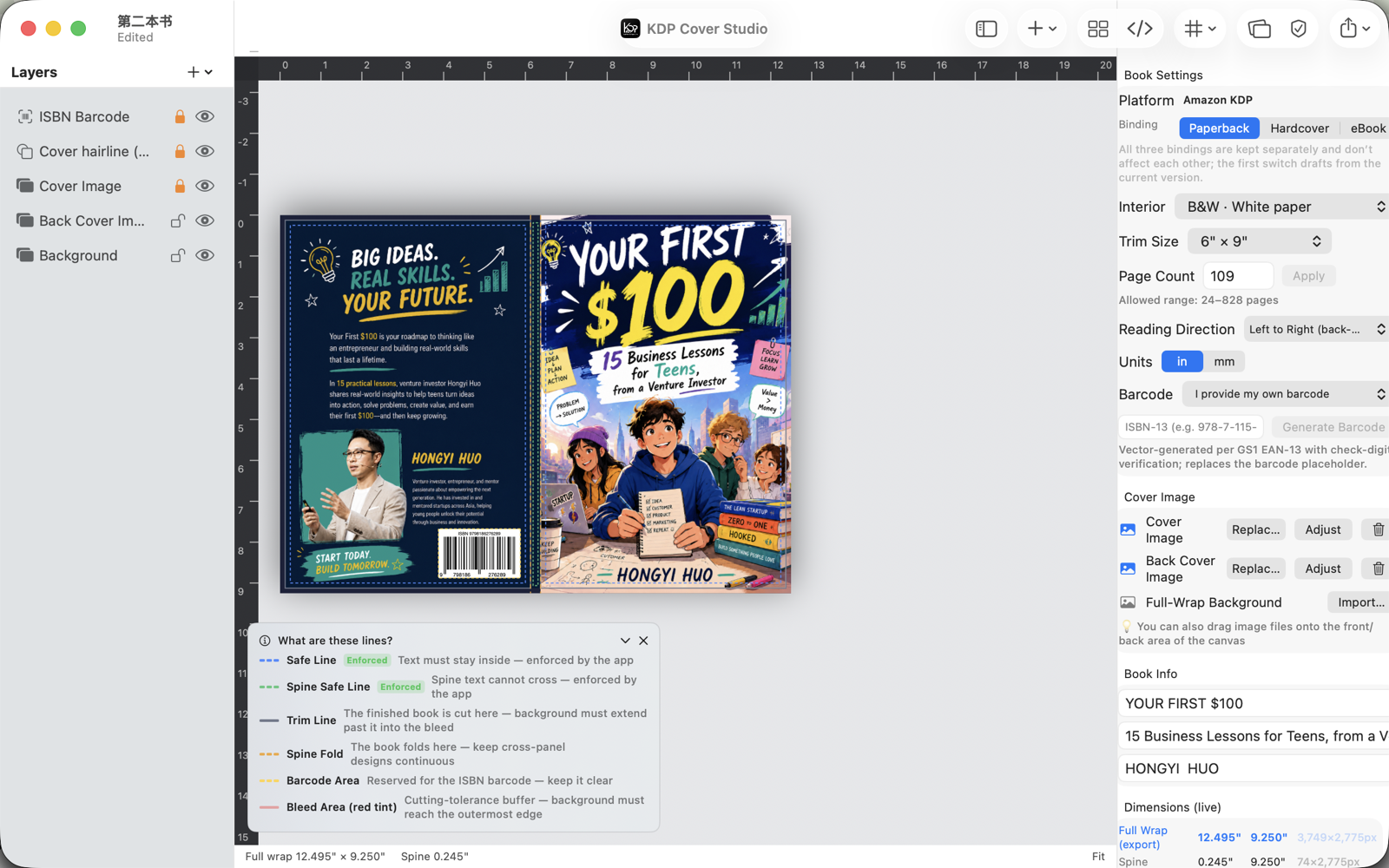
Full‑wrap width, spine and bleed are computed from your trim size and page count — and update live when either changes.
Paperback, hardcover & eBook
Each binding is kept as its own independent draft, so tweaking one never disturbs the others.
Guide rails that are enforced
Safe lines, spine‑fold and barcode reserve are drawn on the canvas — and text is kept inside them for you.
ISBN barcode generator
Turn an ISBN‑13 into a vector EAN‑13 barcode with check‑digit verification, placed in the reserved zone.
Vector PDF, read‑back verified
Export a single‑page PDF at the exact MediaBox — then the app re‑reads it to confirm size, page count and embedded fonts.
Preflight before upload
Contrast, effective DPI, overflow and off‑safe‑area issues are flagged early, so surprises don't reach the printer.
A guided start
From trim size to finished cover.
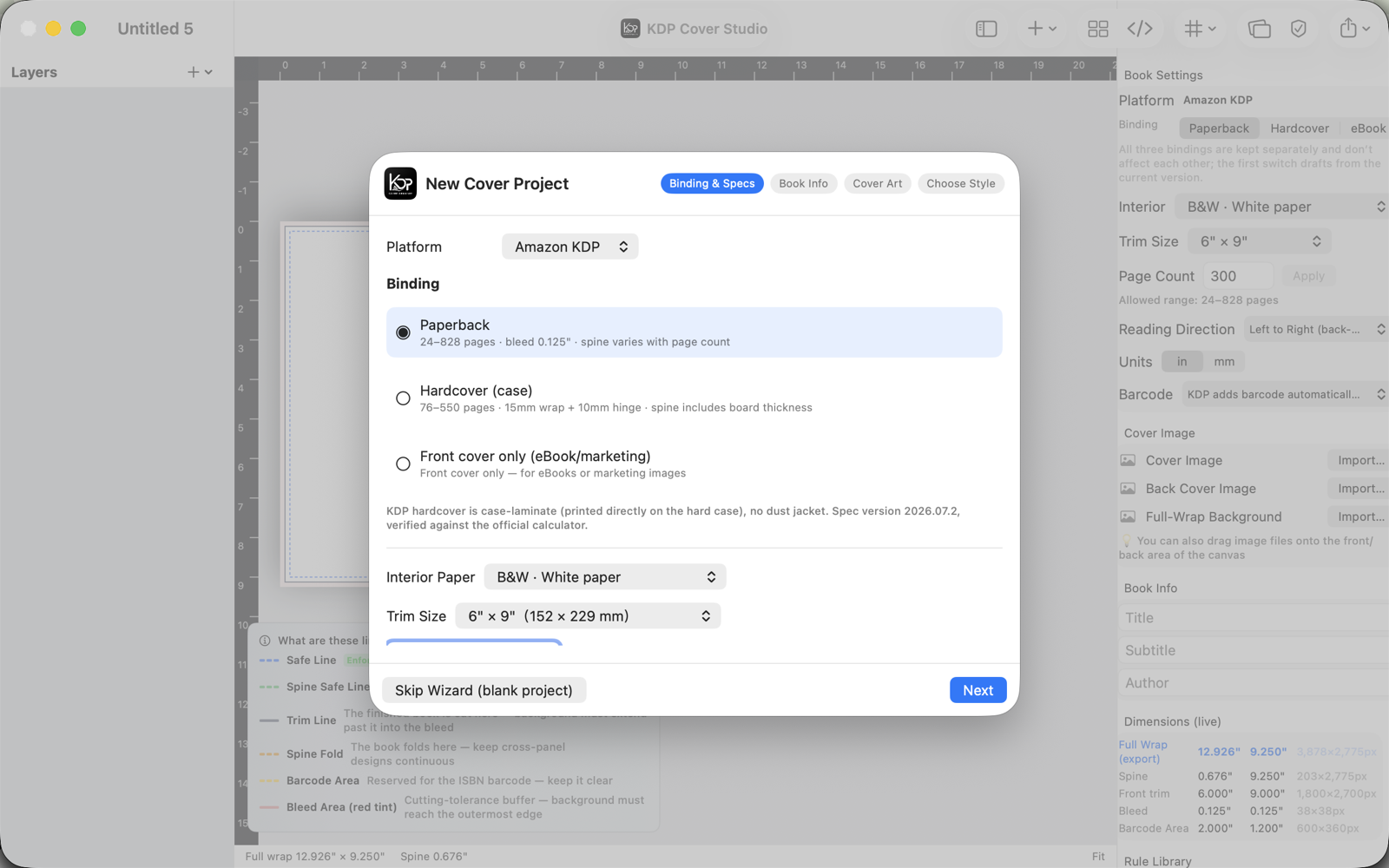
A short wizard sets your platform, binding, interior paper and trim size against the official spec — then hands you a canvas that already knows its dimensions.
- Official KDP & IngramSpark spec presetsVerified against the official cover calculator.
- Templates, 3D mockups & batch variantsStart from a style, preview a real book, export many at once.
- HTML ↔ canvas workflowDesign in HTML or drag on the canvas — they stay in sync.
- English & 简体中文Switch the interface language any time in Settings.
Your work stays on your Mac.
KDP Cover Studio has no account, no sign‑in and no data collection. It runs entirely on‑device — nothing about your books is ever sent anywhere.